Received an invitation to a private game? Click here to review it.

club-pkr logo
club-PKR | Pro

Updates & Blog

Whats being worked on and recent updates

Lately I’ve been thinking about why I love poker so much.

I’ve been playing for around 15 years now. My first real memory of the game—No Limit Hold’em, of course—was at a home game with friends. From that point on, most weekends were spent playing… and losing. Mostly online, mainly on sites like FullTilt and PokerStars. This was pre–Black Friday, those days were wild!

At the start, I think it was all about the money. But over time, that’s changed. Now it’s more about the competition—and the social side of it, especially when playing live.

I’m definitely no pro - Very much a rec. These days I’ll jump into a private game once or twice a month, and if I’m traveling, I’ll always try to find a poker room. Some of my go-to spots have been The Lodge in Texas, the Hard Rock in Florida, The Vic in London, and the Sortis Hotel in Panama.

Funny enough, I still haven’t played a live tournament yet, I just don’t have the time ☹

Okay, enough waffling!

So, what’s new since the last update?

The good:

  • Played in two enjoyable (and profitable) private games.
  • The next version of the club-PKR mobile app is almost ready to go.

The not-so-good:

  • I wish I could ship these updates out faster.

What’s in the latest update?

This release is a mix of UI improvements, quality-of-life tweaks, and bug fixes. Here’s what’s new:

Event & Invite Screens

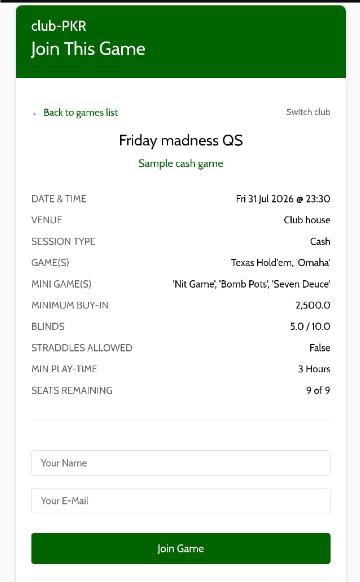
  • Updated cash game and tournament invite screens
  • Club owners/admins can now edit or cancel events directly from the invite screen
  • “Register” button stays active until the event is completed
  • Players can now join a waiting list. The option appears after all seats have been filled.
  • Player Payout Report is now only visible after the event ends
  • UI tweaks to reduce scrolling and make everything easier to see

Notifications

  • Players are notified if they’re removed from an event
  • Hosts get notified when a player registers to a private game
  • Admins can notify waiting list players when a seat opens up

Players & Payout Screens

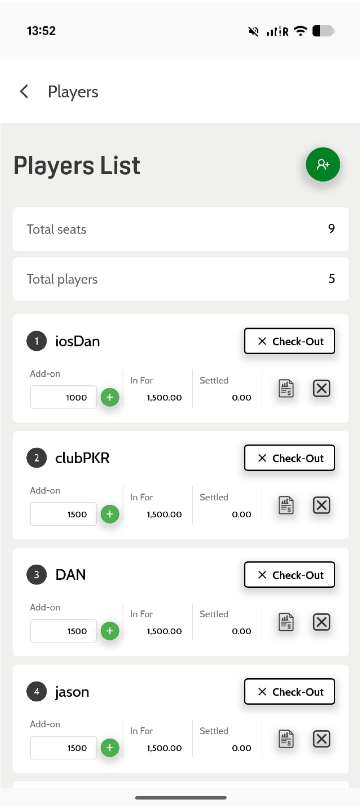
  • Updated Player Payout Card UI
  • Updated Player Payout Report UI
  • Action buttons moved to the player bar (no more swiping)

Player Registration

  • Email field is no longer required for guest players

Text Formatting

  • Description fields now support proper line breaks

Bug Fixes

  • Fixed player count not updating correctly
  • Fixed issue where confirmed players were moved to the waiting list

With this update, the goal is simple: make everything smoother for both hosts and players—fewer taps, less friction, better visibility, and more notifications.

Please subscribe to the club-PKR YouTube channel—I plan to upload new tutorials soon.

It’s still not the finished product, but I’m getting close in terms of core functionality. There are a few areas that still need polishing, but beyond that, I’ve got some big plans for the UI and UX.

So… watch this space.

And as always, keep the feedback coming—I really do appreciate it.

All the best,
Dan

Back again with my second entry!

The past three and a half weeks have been quite hectic as I’ve continued working on updates for both the club-PKR mobile app and club-PKR | PRO.

The good news is that I’m ready to share what’s coming in the next update. The not-so-good news is that it may take a bit longer before these features are released—but it’ll be worth the wait.

These updates are focused on quality-of-life improvements, designed to streamline processes and create a smoother experience for both club admins and players.

Preview of what to expect from the next update:


club-PKR Mobile App

Event & Invite Screens

  • Updated cash game and tournament invitation screens.
  • Option to edit events directly from the invitation screens.
  • Option to cancel events directly from the invitation screens.

Notifications

  • New: Players will be notified if they are removed from an event.
  • New: Club owners and administrators will be notified when a player registers for an upcoming event.
  • New: Administrators will have the option to notify waiting-list players when a seat becomes available.

Players & Payouts

  • Updated Player Payout Card screen.
  • Updated Player Payout Report screen.

Text Formatting

  • Description fields now support carriage returns for improved formatting.

club-PKR | PRO

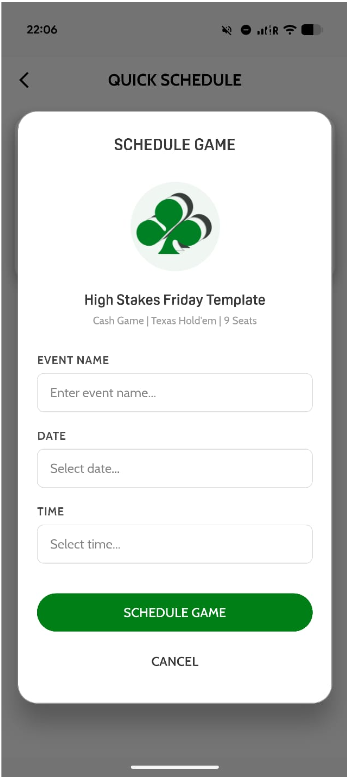
  • Introduction of a new AI assistant called Ace. Ace is currently able to quickly schedule private poker games, update or cancel existing games, and invite new people to join your club. Further details will be released soon—I'm really looking forward to this!
  • Updated cash game and tournament screens.

So there you have it. As mentioned, I’m aiming to have these updates out in roughly two weeks—hopefully sooner.

As always, thanks for taking the time to read this update. If you’re already using club-PKR, I’d love to hear your feedback. And if you haven’t tried it yet, give it a go and let me know what you think.

Dan

Welcome to the long-overdue club-PKR blog.


I'm Daniel, the founder of club-PKR. I've been meaning to start this blog for quite some time—the hardest part was simply finding the time to sit down and write. Well, here we are. The 9-to-5 is done, the two-year-old is fast asleep, and it's now 21:30. That gives me about 45 minutes to put together the first entry… so, where to begin?


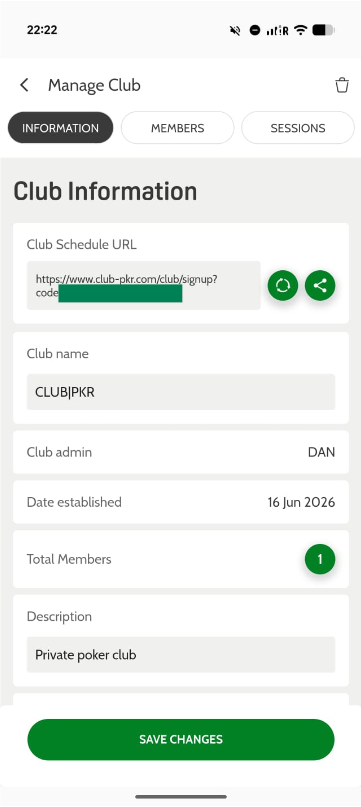
If you're reading this, you probably already know what club-PKR is. But just in case you don't, club-PKR is a private poker club and game management platform, available as a free mobile app and a premium web app (club-PKR | PRO).


If you host private games and are tired of juggling spreadsheets, chat groups, and notepads to manage players and sessions, club-PKR is built for you. The platform handles the heavy lifting—simply schedule your event and let your members reserve their seats at the table.


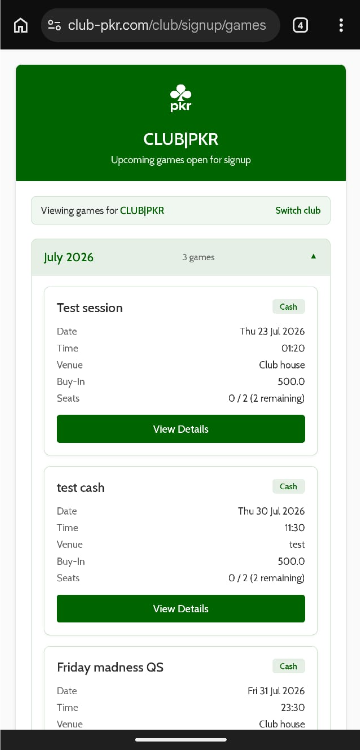
For players, the platform acts as a central hub, instantly notifying them of newly scheduled games, cancellations, and updates.


For hosts seeking a more advanced experience, club-PKR | PRO brings management to the desktop with additional features, including the ability to invite guest players via email and SMS, track player results, analyze session and player data, and more.


Now that the introductions are out of the way—feel free to check out the homepage for more details—I'd like to share a bit about what I'm currently working on.


Right now, my focus is on several key areas: continuing to develop and improve the mobile app, expanding marketing efforts, building both formal and informal partnerships within the poker community, and connecting with users to gather feedback that will help shape the platform’s future. There’s a lot in motion, and exciting times lie ahead.


I'll wrap things up here for now, but I plan to be back with another entry in the coming weeks. There are some exciting UI updates planned for the mobile app, so stay tuned.


Thanks for taking the time to read this. If you're already using club-PKR, I'd love to hear your thoughts. And if you haven't tried it yet, give it a go and let me know what you think.


Dan